WTableView shows only 140 rows...
Added by Beat Brand over 10 years ago
Hello
I've added a class 'CDataViewWidget', which derives from WTableView, to a WContainerWidget.
As datasource for this 'CDataViewWidget', I use a class 'CGenericModel' which derives from WStandardItemModel.
Now, I instantiate the datasource class, add 1000 datarows, bind this datasource to the 'CDataViewWidget' and try to show the data.
If I scroll down, there are exact 140 rows and no further rows will be loaded...
When I try to sort the entries, it seems that all 1000 entries exists and will also be sorted correctly.
I style my page, the container and the containing WTableView in an external css.
For the container, I' ve added the css settings:
#datalist{
position: absolute;
top: 0;
left: 0;
width: 300px;
font-size: 12px;
height: 400px;
overflow: scroll;
}
The tableview has no own css settings.
If I remove the settings for height and overflow, nothing will change on the behaviour: Only 140 rows will be displayed.
Then, as a test, I tryed to take the 'VirtualModel' from the samples as datasource for the my 'CDataViewWidget'.
But the behaviour is the same: Only the first 140 entries will be shown...
What can I try to get more than 140 rows? (I use Wt 3.3.4 )
Regards
Beat
Replies (4)
RE: WTableView shows only 140 rows... - Added by Koen Deforche over 10 years ago
Hey,
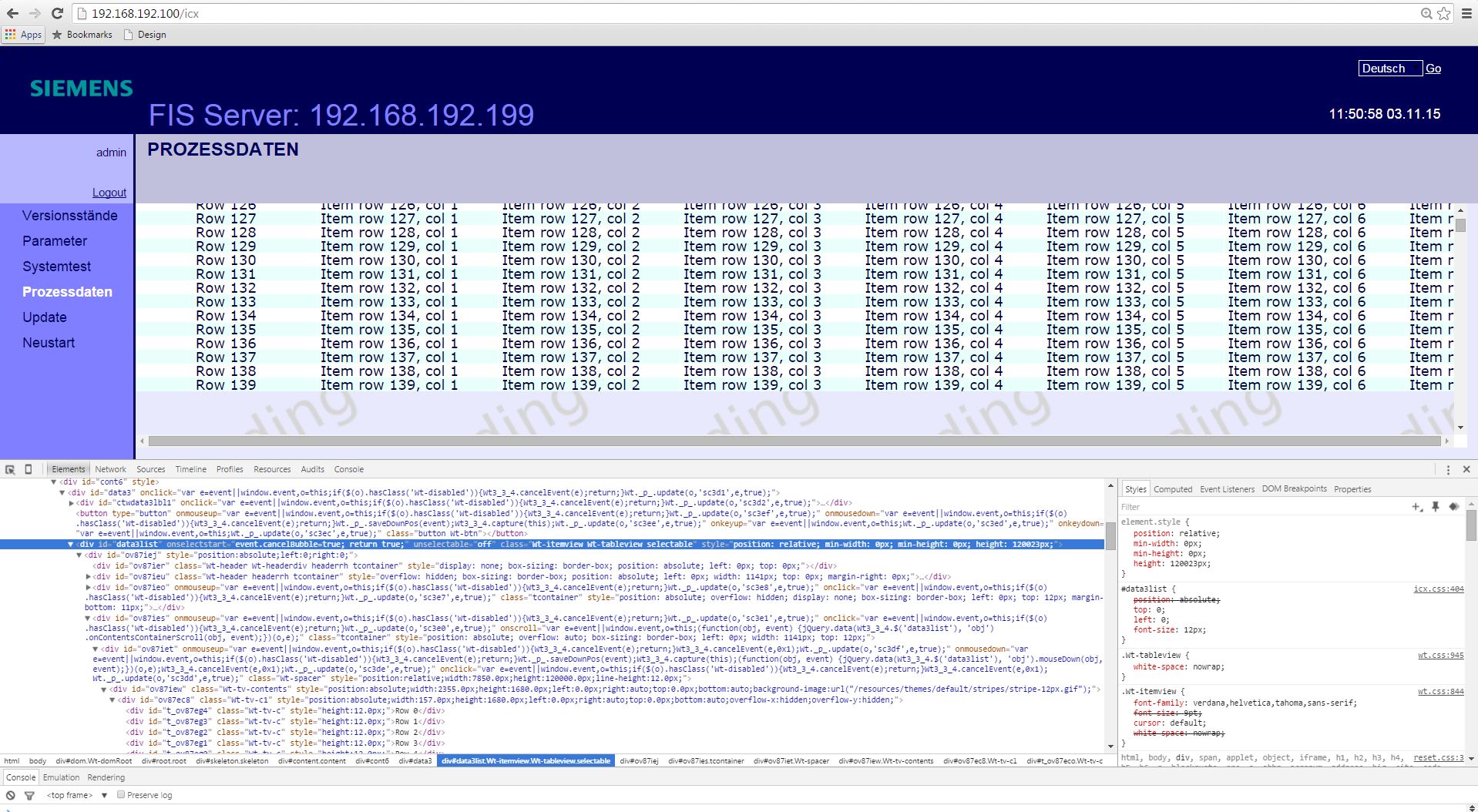
Can you post a screenshot? Are you actually scrolling the table or perhaps a container which contains the table?
Koen
RE: WTableView shows only 140 rows... - Added by Beat Brand over 10 years ago
Hello Koen
Thank you for you quick response. I post you the screenshot as attachement.
Here are the css settings:
/** processdata */
#cont6{
    position: absolute;
    top: 0;
    left: 0;
    width: 100%;
    height: 100%;
}

#data3{
    position: absolute;
    top: 0;
    left: 0;
    bottom:10px;
    right: 10px;
    overflow: scroll;
}

#data3list{
    position: absolute;
    top: 0;
    left: 0;
    font-size: 12px;
}
The header file with the class definitions:
class CDataViewWidget: public Wt::WTableView
{
public:
    CDataViewWidget(const std::string& strWidgetId);
    virtual ~CDataViewWidget();
};

class CGenericModel : public Wt::WStandardItemModel
{
public:
    CGenericModel();
    virtual ~CGenericModel();
};


class CGenericDataWidget
{
private:
    CGenericModel* m_pxDataModel;
    CDataViewWidget* m_pxDataView;
public:
    void init();
    CGenericDataWidget(const std::string& strWidgetId);
    virtual ~CGenericDataWidget();
};
The implementation of the init() method the GenericDataWidget.cpp:
void CGenericDataWidget::init()
{
    m_pxDataView->setColumnResizeEnabled(true);
    m_pxDataView->setColumnAlignment(0, Wt::AlignCenter);
    m_pxDataView->setHeaderAlignment(0, Wt::AlignCenter);
    m_pxDataView->setAlternatingRowColors(true);
    m_pxDataView->setRowHeight(12);
    m_pxDataView->setHeaderHeight(12);
    m_pxDataView->setSelectionMode(Wt::SingleSelection);
    m_pxDataView->setEditTriggers(Wt::WAbstractItemView::NoEditTrigger);
    m_pxDataView->setSortingEnabled(false);
    m_pxDataView->setModel(new VirtualModel(10000, 50, m_pxDataView)); // m_pxDataModel
}
Regards
Beat
| 140rows.jpg (443 KB) 140rows.jpg |
RE: WTableView shows only 140 rows... - Added by Koen Deforche over 10 years ago
Hey,
It's not the tableview that is scrolling, but some ancestor. For some reason your tableview didn't render the entire model though, but even if it did, that's probably not what you want.
You need to make sure the tableview itself has a limited height: by setting a height or by using layout managers to propagate the window height to the table.
Koen
RE: WTableView shows only 140 rows... - Added by Beat Brand over 10 years ago
Hello
Thanks for your answer. I checked the ancestors of the tableview and saw no changes in the behaviour.
You're right: for some reason the tableview didn't render the model. But what's the reason...
For test, I removed the subclassing for the tableview and use Wt::WTableView and toke the VirtualModel from the examples as data model.
If I set the tableview's height and width by doing a resize of the tableview like in the example (m_pxDataView->resize(650, 400);), only 68 rows were rendered...
As higher I set the value of the tableview' height property, as more rows were returned. - But the height of the tableview itself will also grow up.
If I set the height to 400, i got 68 rows of data and the tableview had fit to the screen. A value of 1000 gave me back 169 rows and wouldn't fit on the page without scrolling.
Ok, I have to filter my datasource but I'll have always more than 150 lines to display.
Do you have any idea in which case the Wt::WTableView, with the the VirtualModel from the examples as datasource, wouldn't return all rows?
Regards
Beat